
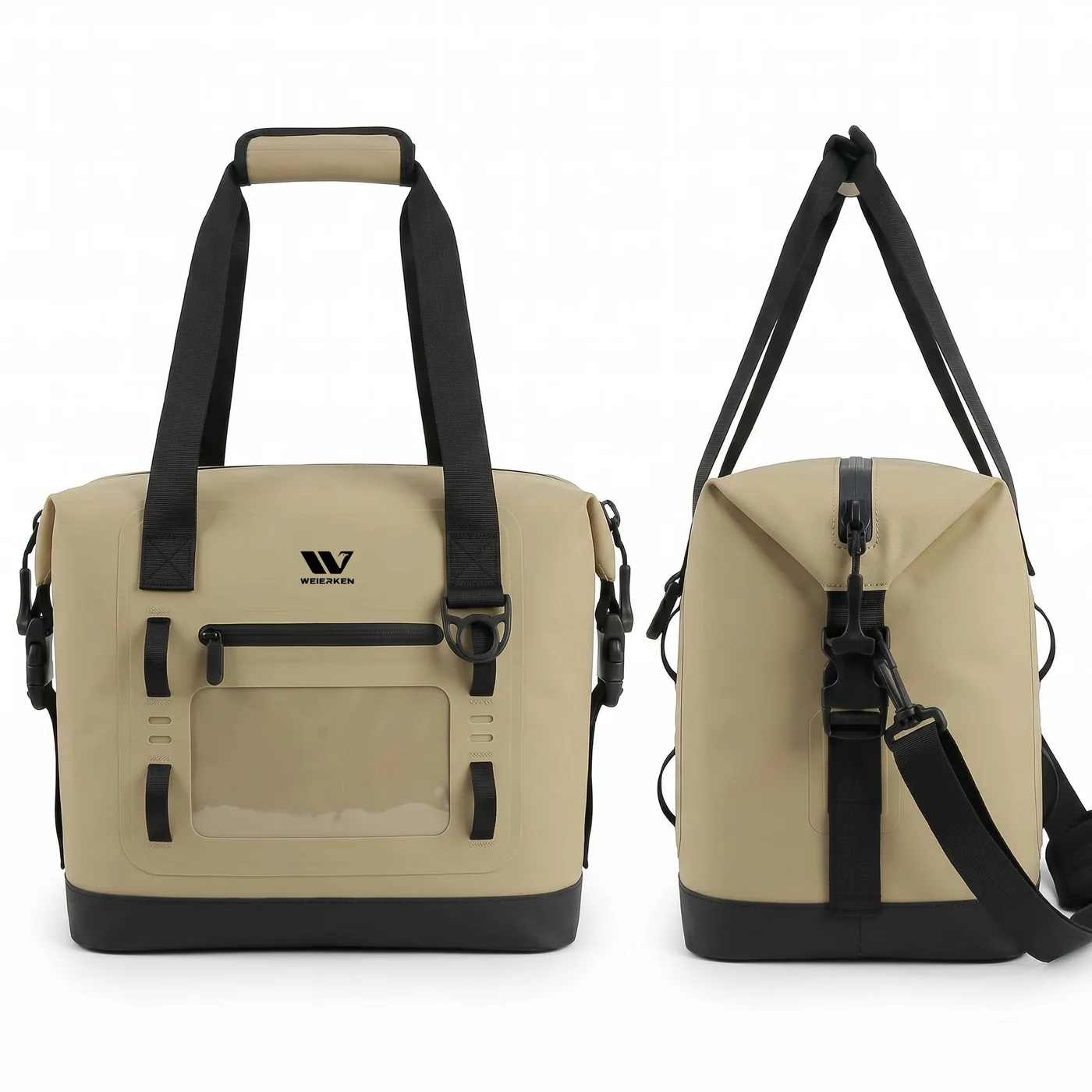
Specify a transparent phone window by the device envelope, usable clear area and required tasks, not by screen diagonal alone. A phone may fit inside a pocket while its camera, side buttons or lower display remain obstructed. Visibility, touch operation and protection of the pocket are separate requirements.
When developing a waterproof bag OEM project, Weierken needs the actual device or a dimensional sample, including its normal case. Our C16-26SS cooler with touchscreen front window lists a transparent panel for device visibility and basic operation. This is a product reference, not a promise that every phone, application, screen protector or wet condition will work through any proposed film.
1. Measure the complete device, not just its screen
Record body length, width and thickness with the intended protective case installed. Note protruding camera modules, a wrist tether and any connectors the brief expects to accommodate. Then compare that envelope with the pocket entry, internal space and clear viewing area. These are three different measurements, and the smallest entry may control whether the device can be inserted.
A charging cable requirement needs separate review. Do not run a cable through an unapproved pocket closure and continue describing the assembly as sealed. First clarify whether charging while stored is actually necessary; removing that requirement may simplify the interface and avoid an unsupported protection claim.
2. Turn a vague request into a filled specification
This example is an illustrative design brief, not a customer specification or a tested compatibility list. Its purpose is to show what the buyer should decide before film and tooling are selected.
| Brief field | Example instruction | What to check on the sample |
|---|---|---|
| Device set | Two nominated phones, both with their retail protective cases | Insertion and removal of each complete device |
| Visible information | Read a route screen and a delivery reference number | Text remains visible in the agreed carrying position |
| Required operation | Wake display and perform one agreed basic action | Record the exact device, settings and condition used |
| Camera use | Not required for this version | Do not advertise through-window photography |
| Pocket entry | Insert from the top when the bag is stationary | Entry clearance and closure access |
Replace the example instructions with your actual market needs. A brief that lists only “universal phone fit” invites disagreement because future device sizes and accessories are not controlled. Naming a device set gives the project a reviewable boundary.
3. Review the transparent panel and its surrounding construction
Ask how the clear panel joins the surrounding coated fabric, where the joint turns a corner and where the pocket closure begins. Mark folds that may press against the window during packing. The film grade and joining method must be reviewed together; naming TPU or PVC by itself does not establish optical clarity, crease resistance or sealing performance.
Keep the window clear of decorative printing unless the artwork deliberately defines an opaque zone. A logo that looks attractive on a flat drawing may obscure the user’s display after the phone settles lower in the pocket. Use the printed panel and weld-zone review to coordinate artwork with the structural drawing.
4. Review ordinary tasks before making compatibility claims
Prepare a short task sequence: insert the device, close the pocket, carry the loaded bag, read the display and perform the agreed basic action. Record whether the display moves away from the clear area or the film bunches at an edge. Observe the nominated device rather than transferring the result to all phones.
Use the conditions appropriate to the planned claim. Wet fingers, gloves, screen brightness and display protectors can change the use experience; they should not be silently added to an already approved dry-condition task. An operation check also does not establish protection under water exposure. Review the pocket closure and complete bag separately with agreed conditions.
5. Keep a window-specific approval record
Save the device list, film identification, clear-area drawing, entry dimensions and task results with the sample revision. If the clear panel becomes thicker, the pocket entry changes or the logo moves, identify which checks must be repeated. This avoids approving a new image while overlooking a changed user interface.
For a new collection, connect these notes to sample revision control and the TPU fabric specification guide. They answer different questions: the revision record controls what changed, while the material brief describes what must be sourced and assessed.
Frequently asked questions
Can Weierken guarantee compatibility using a phone’s screen diagonal?
A screen diagonal is not enough. Provide the complete phone-and-case dimensions and the tasks you need. Confirm the compatible device set on the approved sample before making a retail claim.
Does a touchscreen window make the pocket waterproof?
No. Touch operation and protection are separate questions. The film-to-body junction, entry closure and intended exposure need their own finished-assembly review.
Should a window be enlarged to suit every future phone?
Not automatically. A larger panel may affect layout, folds and branding. Define a realistic device envelope, review the construction and state compatibility only within the approved scope.
Send a focused project brief
Send the nominated device dimensions, case information and the three most important tasks users need to perform through the window. Request a Weierken manufacturing review with your company, product format, quantity, destination market and drawings. MOQ, sampling arrangements, pricing and delivery timing must be confirmed for the actual specification.
From brief to sample
Build the right bag for your collection.
Share the intended use, product format, quantity and destination market. Weierken can review the construction and sampling requirements with your team.
Discuss your bag project Explore OEM & ODM